Home / Products
CX1: the Sparks Vegeance trade copier for MetaTrader 5
One Expert Advisor, one client portal and a marketplace. CX1 mirrors trades from the Sparks Vegeance server on your own MT5 account, with limits you control.
What you get
Everything needed to copy, monitor and manage trades in one place.
CX1 Expert Advisor
The copier that runs inside your MT5 terminal.
Expand
CX1 receives execution parameters from the Sparks Vegeance server and opens, modifies and closes the matching positions on your account. It only needs an internet connection and your MT5 account number.
- Runs on your PC or VPS
- Key issued automatically, you never type it
- Order settings follow MetaTrader 5's own functions
Client portal
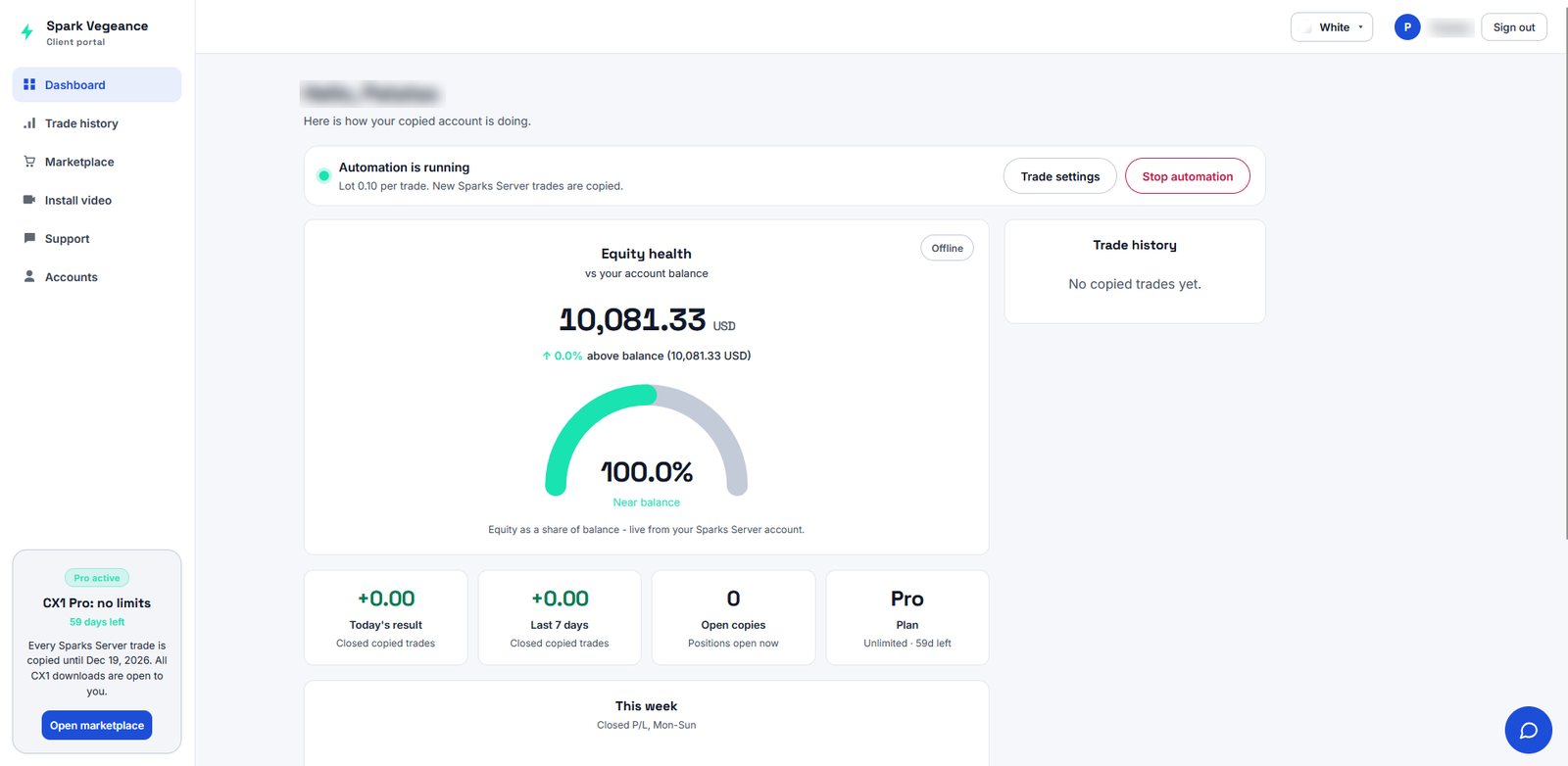
Live equity, a risk meter and every copied trade.
Expand
Sign in to see your account equity, open positions, your copied trade history and your plan status. Download your records, chat with support and manage your profile and password.
- Light and dark colour looks
- Trade history and chat export
- Built-in support chat
Marketplace
Download CX1 and upgrade your plan.
Expand
The Marketplace lists the CX1 files and what each plan needs. Paid plans activate automatically after payment is confirmed, with no manual approval.
Loss limit
Pause copying when you say stop.
Expand
Set a maximum loss and CX1 stops copying new trades once it is reached, so one bad day cannot run unattended.
Secure by design
Encrypted connections and account protection.
Expand
Sign-ins are rate limited, suspicious addresses are suspended, and your trading data is only visible to you and to support staff you contact.
Support
Real people, in the portal.
Expand
Ask a question from the Support page in the portal. If you have not linked an MT5 account yet you can still reach our team.
Plans
Start on Free. Lite and Pro are software licences for CX1; prices are shown in your client portal before you pay.
| CX1 Free | CX1 Lite | CX1 Pro | |
|---|---|---|---|
| Copied trades | Up to 3 per week | Unlimited | Unlimited |
| Duration | No time limit | 15 days | 1 month |
| Client portal | Included | Included | Included |
| Support chat | Included | Included | Included |
| Payment | Free | Paid online through Whop, activates automatically | Paid online through Whop, activates automatically |
Sparks Vegeance sells software licences. We are not a broker, fund or money manager and we never hold your funds. See the Terms of Service and Refund Policy.
Install CX1 in five steps
You do not need to compile anything or write any code.
Create an account
Sign up in the client portal and open the Marketplace.
Download CX1
Choose CX1 Free (or your paid plan) and download the file.
Copy it into MT5
In MT5: File > Open Data Folder > MQL5 > Experts. Paste the CX1 file there.
Allow WebRequest
Tools > Options > Expert Advisors: allow WebRequest for the Sparks Vegeance server address shown in the portal.
Attach to a chart
Drag CX1 onto any chart with AutoTrading on. Your account appears in the portal.
The client portal
A clear view of what CX1 is doing on your account.
- Live equity and a risk meter
- Open and closed copied trades
- CX1 key and licence status
- Downloads and the Marketplace
- Download your trade and chat history (kept 7 days)
- Profile, password and support tickets